Exercise 3: LCD display
Main topics:
- Displaying string on the LCD display
- Displaying the text stored in the program's memory on the LCD display (pgmspace.h library)
- Displaying special characters in the LCD display
- Displaying floating point numbers in the LCD display
LCD display
As part of this exercise, we will create a library to operate the LCD display connected to the HD44780 controller.
LCD displays are popular elements that enable the visualization of various data or messages. An example of the LCD is shown below:
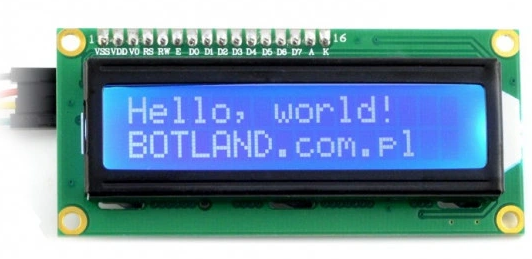
The LCD display can be connected in two ways: using 8 data lines or 4 data lines. We will only use 4 data lines to limit the number of used pins. An example of LCD display connection is given below:
LCD display → Microcontroller
1) D4 → PA4
2) D5 → PA5
3) D6 → PA6
4) D7 → PA7
5) E → PA3
6) RS → PA2
As part of the library for LCD support, we will create the following functions:
void lcdinit (void); // LCD display initialization
void lcd_write_command (uint8_t data); // a function that sends a single command to LCD display
void lcd_clear (void); // function executing the instruction "clear display"
void lcd_write_data (uint8_t data); // a function that sends a single data to LCD display
void lcd_set_xy (uint8_t x, uint8_t y); // function to set cursor to xy position
void lcd_write_text_xy (uint8_t x, uint8_t y, char * text); //function displaying the text in the data memory (!!!) starting from xy position.
void lcd_write_text_P(const char *text); //function displaying the text in the program memory.